Article
Best Free Physics Simulators Online: Gravity, Motion, Circuits, and More
A practical guide to choosing the right free online physics simulator for gravity, projectile motion, pendulums, gas laws, optics, circuits, and classroom exploration.
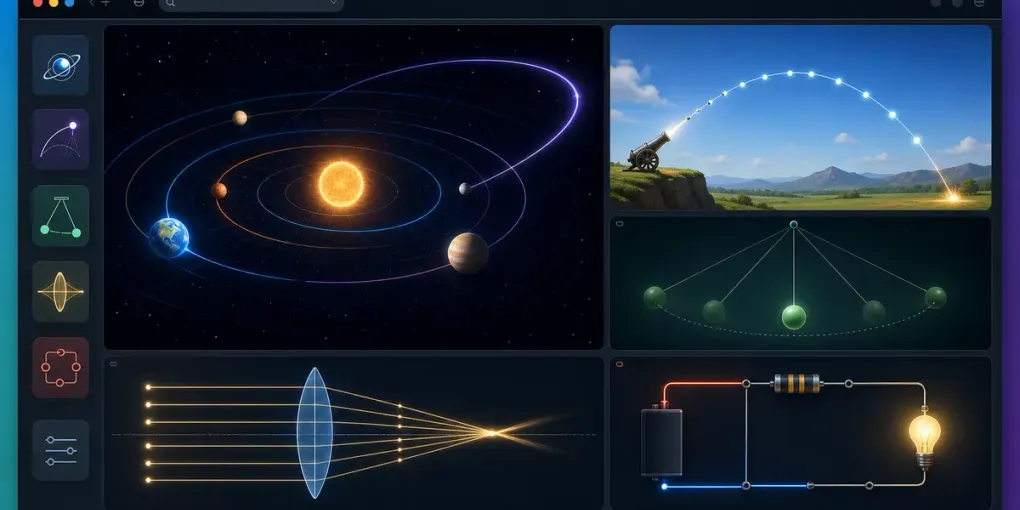
The best physics simulator is not always the most complicated one. If you are doing homework, preparing a lesson, or trying to understand a concept quickly, the useful tool is the one that lets you change a variable and immediately see what happens.
FreeSimulators has several browser-based science tools that work well for that kind of learning. This guide helps you choose the right one for the question in front of you.
For Gravity and Orbits
Use the Gravity Simulator when you want to see how bodies move under attraction. It is useful for intuition: mass, distance, initial velocity, and orbital paths make much more sense when you can drag, add, pause, and replay the system.
Good questions to explore:
- What happens when one body is much more massive?
- Why does sideways velocity matter for orbiting?
- Why can a three-body setup become unpredictable?
- How do trails reveal the shape of motion over time?
If you are searching for a gravity simulator online, start here before moving to more complex professional tools. A browser sandbox is usually enough for the first layer of understanding.
For Projectile Motion
Use the Projectile Motion Simulator when the key variables are launch angle, initial speed, height, and range. This is the tool to open when a textbook problem gives you a ball, arrow, or object launched through the air.
Try changing only one value at a time. Increase speed while keeping angle fixed, then reset and change the angle while keeping speed fixed. That pattern helps you see which variable controls range, flight time, and peak height.
For Periodic Motion
Use the Pendulum Lab Simulator when you are studying period, length, and gravity. Pendulum formulas can feel abstract until you see that changing mass is usually less important than changing length.
This is especially useful before a lab. You can predict what should happen, run the virtual setup, then compare the pattern with your real experiment.
For Pressure, Volume, and Temperature
Use the Gas Laws Simulator when you need Boyle’s law, Charles’s law, or Gay-Lussac’s law to stop feeling like three separate memorized facts. Change one variable and watch the others respond.
The most useful habit is to say the relationship out loud after each change: if volume goes down and temperature stays fixed, pressure goes up. That turns the graph into memory.
For Optics and Lenses
Use the Lens Simulator when you need to understand focal length, image distance, real images, and virtual images. Ray diagrams are much easier when you can move the object and lens instead of redrawing the diagram from scratch every time.
This tool is a good fit for exam review because optics questions often test direction, distance, and sign conventions. Seeing the picture change helps catch mistakes early.
For Circuits and Electronics
Use the Arduino Simulator if you want to build beginner circuits such as LEDs, buttons, potentiometers, and buzzers without physical parts. For digital logic, use the Logic Gate Simulator. For basic voltage-current-resistance relationships, use the Ohm’s Law Lab Simulator.
These tools are useful because circuit mistakes are often visual: a missing resistor, a disconnected ground, or a button wired across the wrong rows. A browser simulator lets you slow down and inspect the setup.
How to Learn Faster With Any Physics Simulator
Use this workflow:
- Start with a preset or simple default setup.
- Change only one variable.
- Predict the result before pressing run or play.
- Watch what changes and what stays the same.
- Reset, then test the next variable.
This prevents random clicking. It also turns the simulator into a real learning tool instead of a moving picture.
Which Simulator Should You Open First?
Open Gravity Simulator for orbits and attraction, Projectile Motion Simulator for trajectories, Pendulum Lab Simulator for periodic motion, Gas Laws Simulator for pressure-volume-temperature relationships, Lens Simulator for optics, and Arduino Simulator for beginner electronics.
All of them run in the browser and need no account. The fastest way to learn is to pick the simulator that matches the one concept you are trying to understand right now.